
Codex for Non-Developers
An AI-native office worker's
everyday Codex workflow

Jeongmin Lee
Generated by GPT-Image-2
INTRO
I'm Jeongmin Lee, working with agents on my own

2026.05 -
Present
ABLD
CEO, Solo Builder2023.05 -
2026.04
Smoretalk
CSO, Co-Founder2021.10 -
2022.02
Bluepoint Partners
Research AssistantRESEARCHER
AI engineer recognized for expertise
- Ranked #1 on the Open Ko-LLM Leaderboard
- Youngest member of the NIA project coordination committee
CREATOR
AI creator people turn to
- Around 10,000 LinkedIn followers
- Sharing practical AI workflows
WHY CODEX
Why non-developers should use Codex
You do not need to learn to code to run your own work in an AI workspace.
01.
An accessible way to work
- Start from a request in the Desktop App, without opening a terminal
- Follow and control the work through chat and approvals
- Check the result on screen in a familiar interface
02.
An integrated workspace
- Manage files, results, and progress in the same workspace
- Use Plugins, Skills, and Automations to connect repeat work
- Keep the work context in one place
03.
The ability to handle complex work
- Break complex work into planning, execution, and review
- Finish long research and document cleanup tasks
- Automate repeat work that moves across several tools
04.
A highly reliable environment
- Generous credits give you enough room to test and run work
- A stable environment keeps delegated work from stopping
- Build repeatable workflows, standards, and outputs over time
REASON 01
An accessible way to work
In the Codex app, you can use agent features easily without touching the terminal.
Multitask across projects
Run project threads side by side and switch quickly.
Worktrees
Keep parallel changes isolated with Git worktrees.
Remote connections
Start, steer, approve, and review work remotely.
Computer use
Use macOS apps for GUI flows and native testing.
Appshots
Send the frontmost Mac app screenshot and text.
Review and ship changes
Inspect diffs, address feedback, commit, and push.
Terminal and actions
Run commands and launch repeatable actions.
In-app browser
Open rendered pages and operate browser flows.
Chrome extension
Use Chrome for signed-in tasks with approvals.
Image generation
Generate or edit images inside the thread.
Automations
Schedule recurring tasks and ongoing checks.
Skills
Reuse instructions across app, CLI, and IDE.
Sidebar and artifacts
Follow plans, sources, summaries, and files.
Plugins
Connect apps, skills, and MCP servers.
Sites
Build and deploy hosted sites, apps, and games.
IDE Extension sync
Sync Auto Context and threads across sessions.
REASON 02
An integrated workspace
Run your work inside one workspace.
Chat
Requests and edits
Interactive task instructionsFiles
Documents and materials
Connected contextBrowser
Work on web pages
Search · input · checkComputer Use
Control apps
Run local workPlugins
Connect services
Drive · Gmail · CalendarAutomations
Repeat runs
daily · weekly · eventREASON 03
It can handle complex work
With GPT-5.5, Codex can plan, execute, and check complex work until it is done.
Plan Mode
Turn a request into
a plan with steps
and checks.
Plugins
Connect email, calendar,
and documents to
the task context.
Browser Work
Continue search, comparison,
file entry, and submission
in the browser.
Computer Use
Move across screens and files
to run tasks that used to
require a person.
Skills
Save repeat procedures
and review criteria
as reusable templates.
Automations
Turn work into automated
daily, weekly, or
event-based routines.
REASON 04
A highly stable environment
Stable credits, tools, and context keep work from stopping.
credits
system
long tasks
- More credits at the same subscription price.
- Enough for long research and document creation.
- Remaining work continues after credits run out.
- Faster reasoning and a more stable system.
- Saves context and state to reduce interruptions.
- Less restart time, faster final output.
- Built for repeated work loops.
- /goal helps you write clear goals and success criteria.
- Long agent runs stay in one context.
Stabilitymaximized
BEFORE / AFTER
Work changes after Codex
SETUP FLOW
Start simple. Set up the basics well
Install the essentials first. Personalize later as you use Codex.
Install apps
- Mac + Codex Desktop App + Chrome
- iOS / Android + ChatGPT app
- ChatGPT Plus or higher subscription
Set up workspace
- Local: run in the current project
- Worktree: isolate changes while running
- Cloud: run in a configured remote environment
Set permissions
- Permissions: Default permissions
- Choose automatic review when available
- Turn on full access only for work you trust
Connect Plugins
- Chrome + Codex Chrome extension
- Computer Use
- Gmail, Google Calendar, Google Drive
Prepare Skills
- @Chrome = web work
- @Computer = file and app work
- obra/superpowers, garrytan/gstack, and more
Personalize later
- Use it for three days, then find repeat work
- Daily / every few days / event-based
- Automate tools + tasks + outputs
OUR ROLE
Our role is to be the designer
We need to design the flow of work, not just think about each task.
HUMAN
- Define goals and output standards
- Provide the materials and constraints
CODEX
- Connect app, browser, and file work
- Create drafts and share interim results
TEAM
- Compare quality with human output
- Check ROI from saved work time
1 PERSON COMPANY
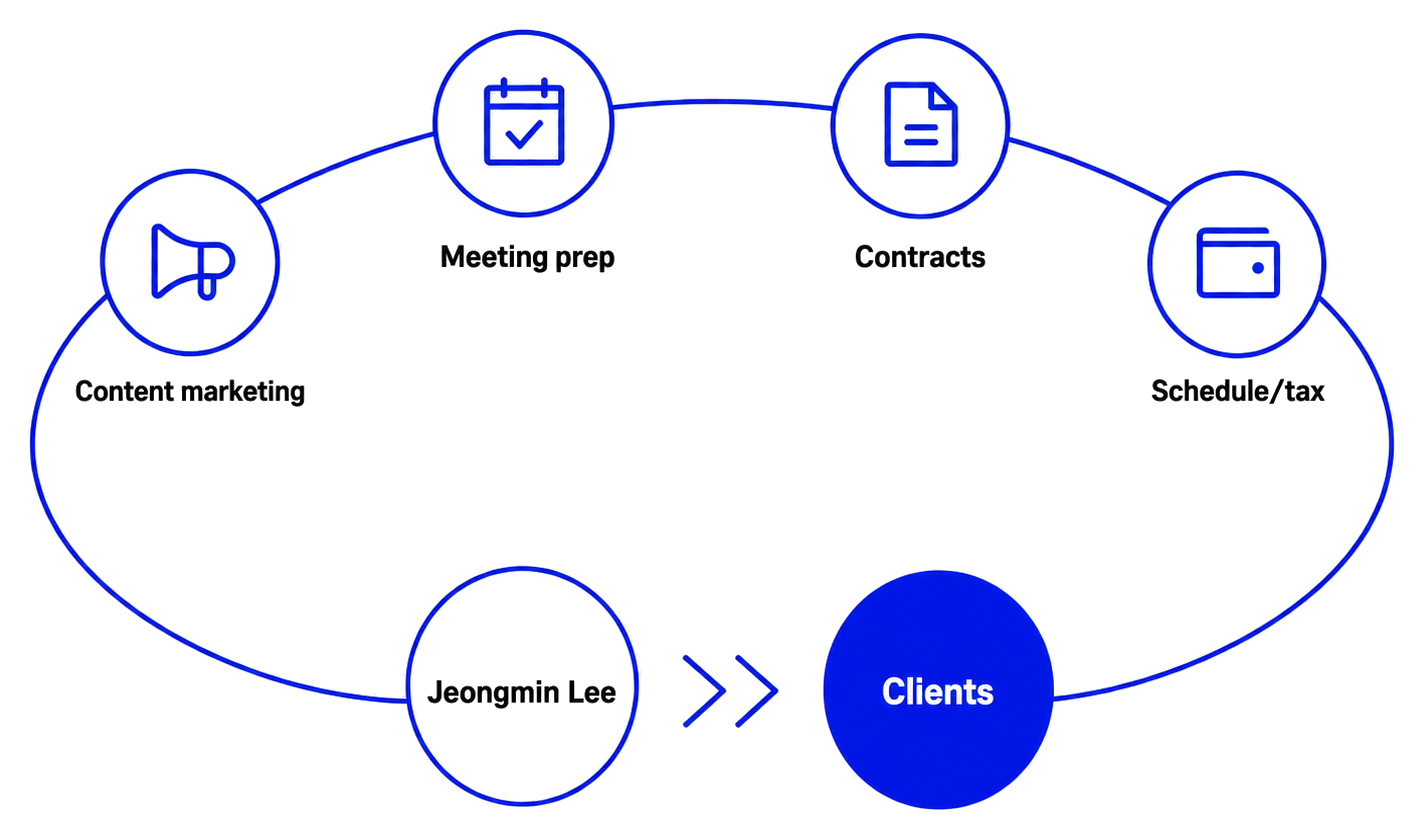
I run a one-person team with Codex
The seven examples below are workflows I have used in the Codex Desktop App.
Content marketing
- Collect core keywords and popular sources
- Draft scripts for each platform format
External meeting prep
- Research prospects and industry issues
- Prepare questions, agendas, materials, and follow-up emails
Contracts and settlement
- Combine estimates, contracts, tax invoices, and email
- Organize stages and next-action checklists
Scheduling, tax, and back office
- Coordinate online and offline meeting times
- Remind me of withholding tax and VAT deadlines
USE CASE 01
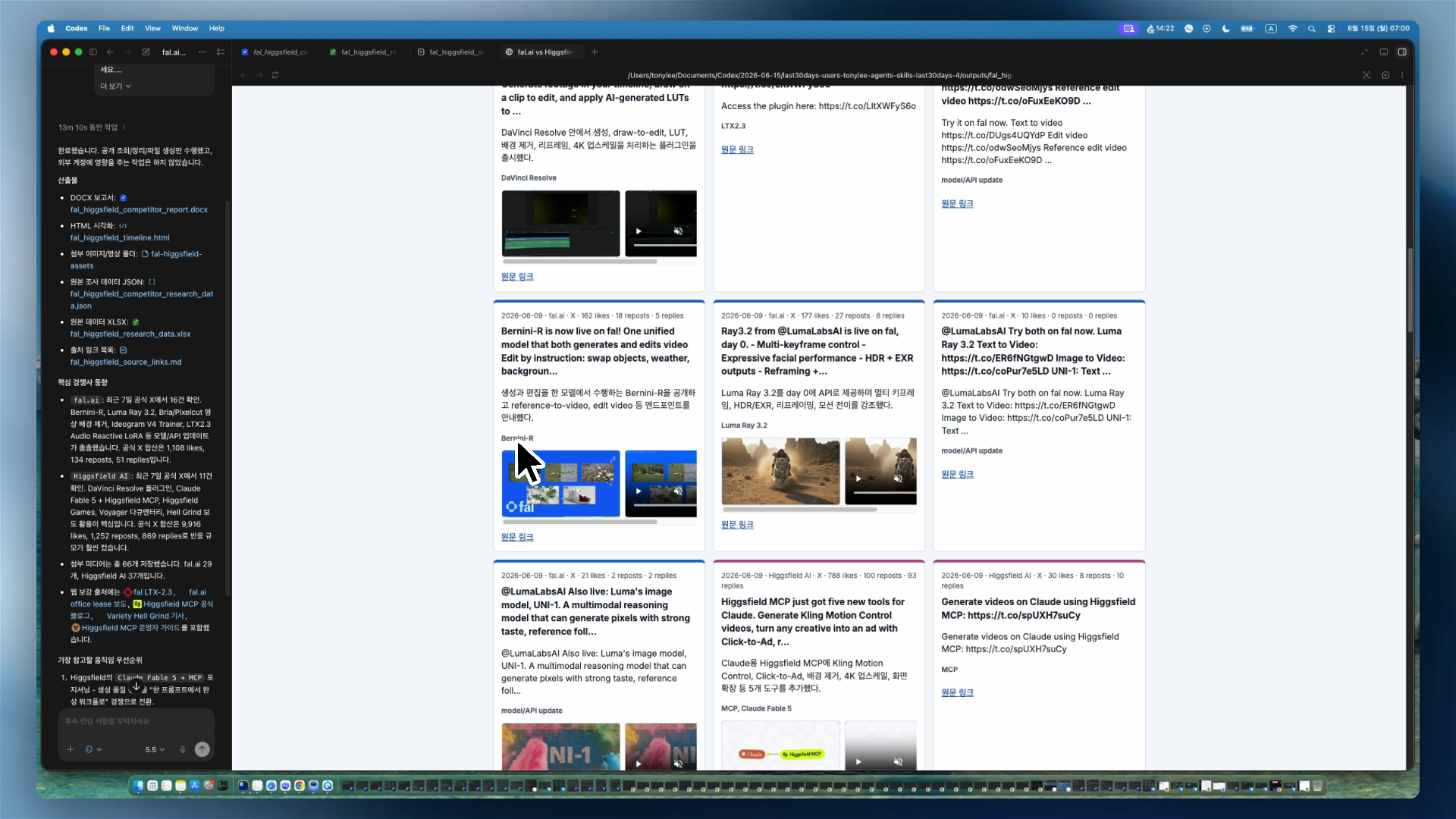
Research competitor updates
Collect competitor news every day
- x.com xURL
- last30days skill
- Exa MCP
- Automation (Codex)
SETUP FLOW 01
for: Research competitor updates
Example - Fal, Higgsfield on x.com
Announcements, product updates,
community reactions
- recent social detection
Exa MCP- recent web search
No other activity
Key insights and original sources
Full one-shot prompt is not provided separately
USE CASE 02
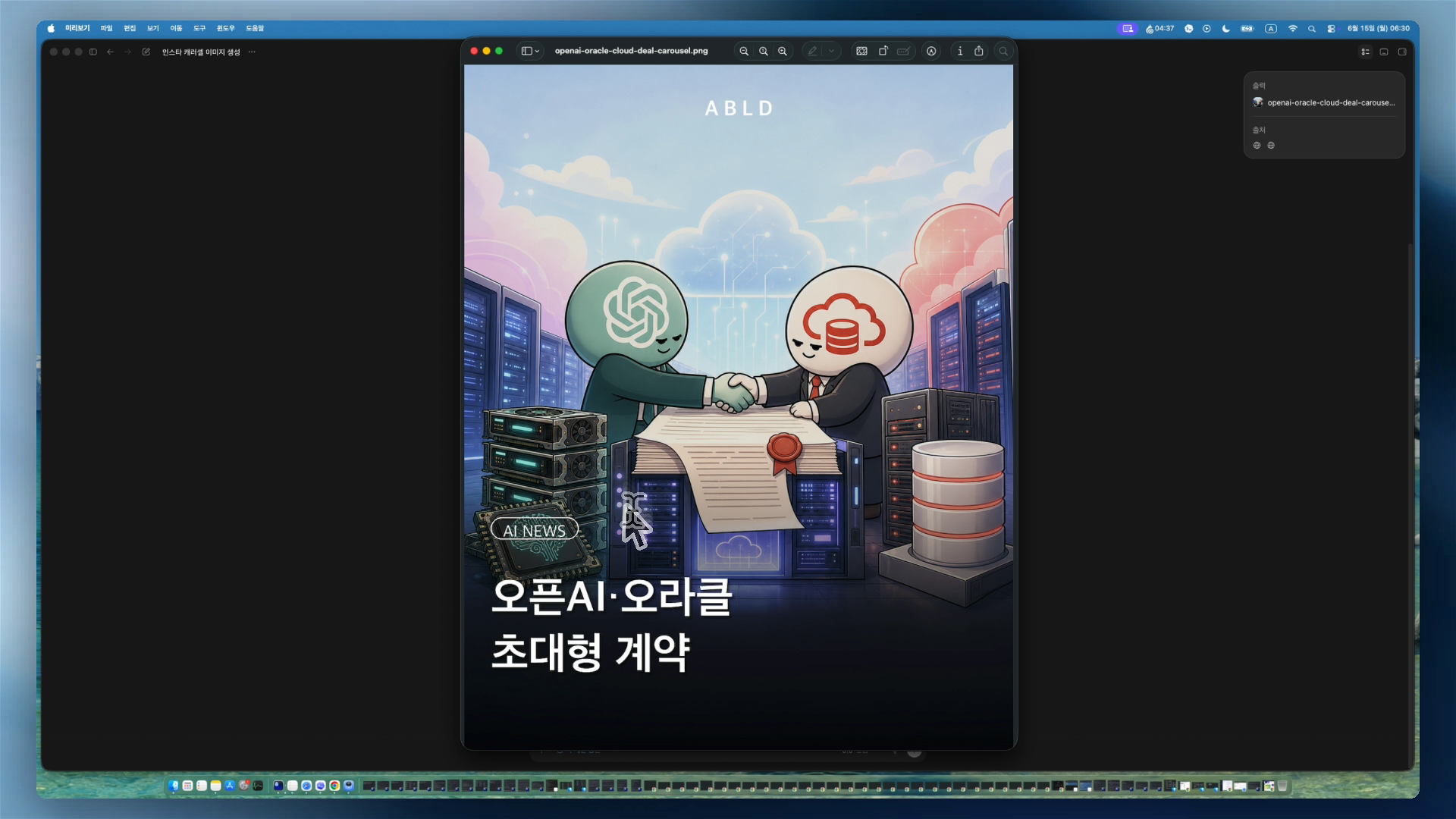
Create content for distribution
Produce writing, images, and video in one flow
- imagegen (Codex)
- Hyperframe skill
SETUP FLOW 02
for: Create content for distribution
Example - OpenAI x Oracle article URL
1080x1350 first image
with HTML/CSS,
Hyperframes
information
Use extra search
for logos, etc.
Image for external distribution
Full one-shot prompt is not provided separately
USE CASE 03
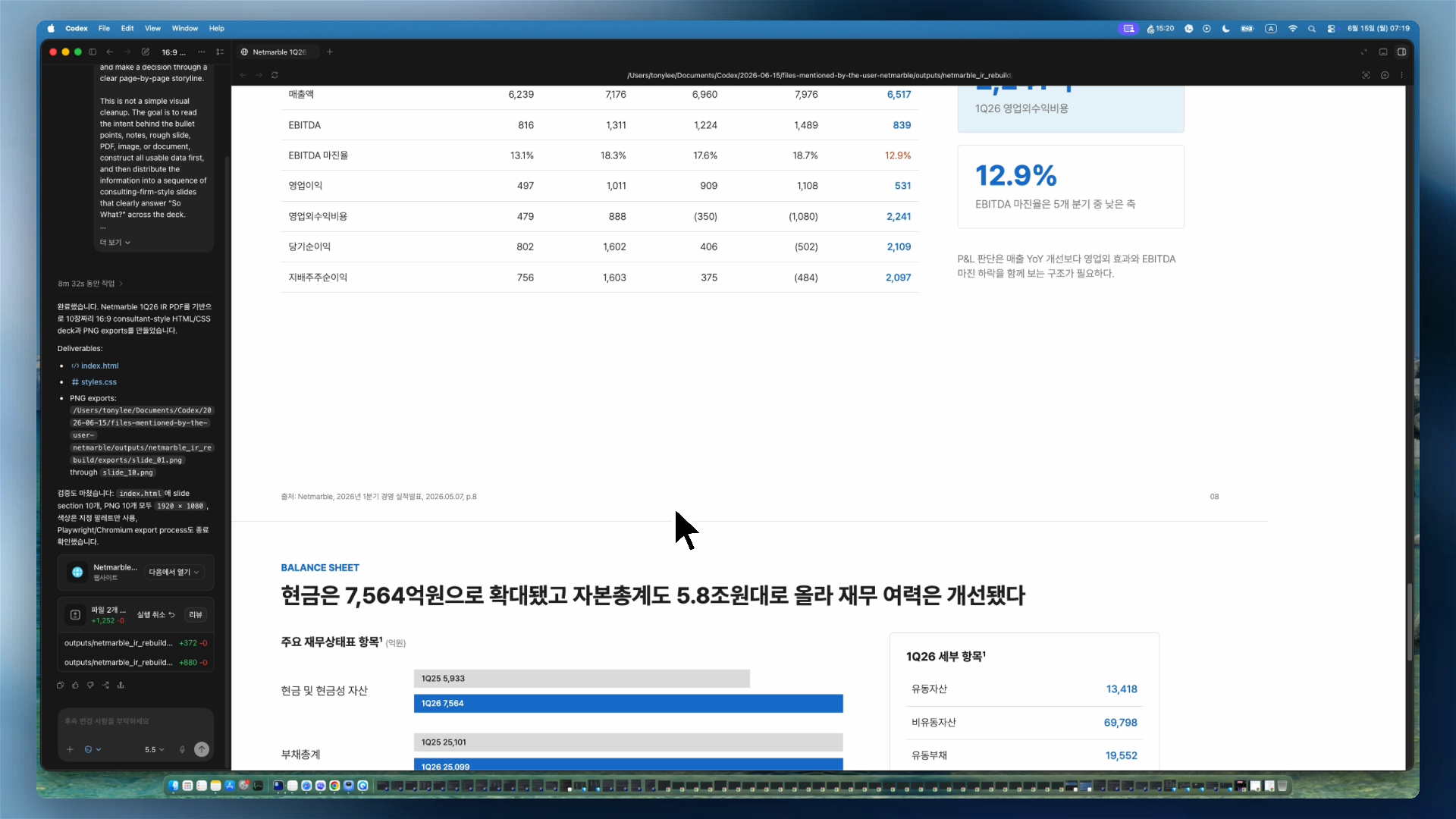
Create meeting and presentation materials
Create external meeting materials with less effort
- Gmail Plugin (Codex)
- Google Drive Plugin (Codex)
- slide skill
SETUP FLOW 03
for: Create meeting and presentation materials
Ex - recording, brief, email title, etc.
About 10 slides, 16:9 storyline
$future-slide
information
Use source materials only
Browser-ready slide deck
Full one-shot prompt is not provided separately
USE CASE 04
Send daily client status reports
Report client communication status every day
- Gmail Plugin (Codex)
- Calendar Plugin (Codex)
- Automation (Codex)
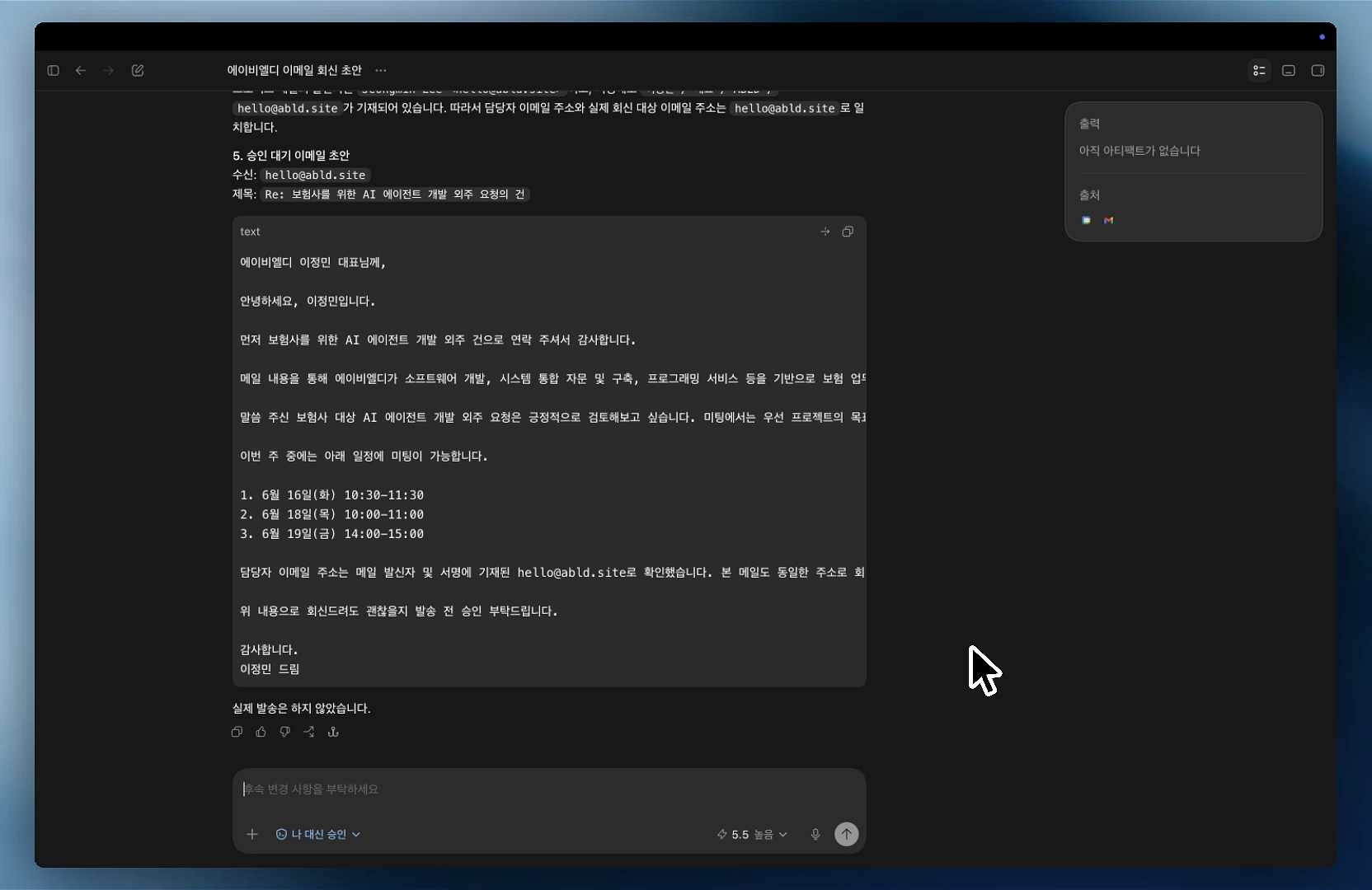
SETUP FLOW 04
for: Send daily client status reports
Email check and calendar status
Request summary, suggested times, reply
@Google Calendar
User approval first
time options +
reply draft
Review directly in chat
Full one-shot prompt is not provided separately
USE CASE 05
Research outsourcing outreach targets
Find candidate companies with browser automation
- Computer use (Codex)
- Chrome Plugin (Codex)
- Spreadsheets Plugin (Codex)
- Automation (Codex)
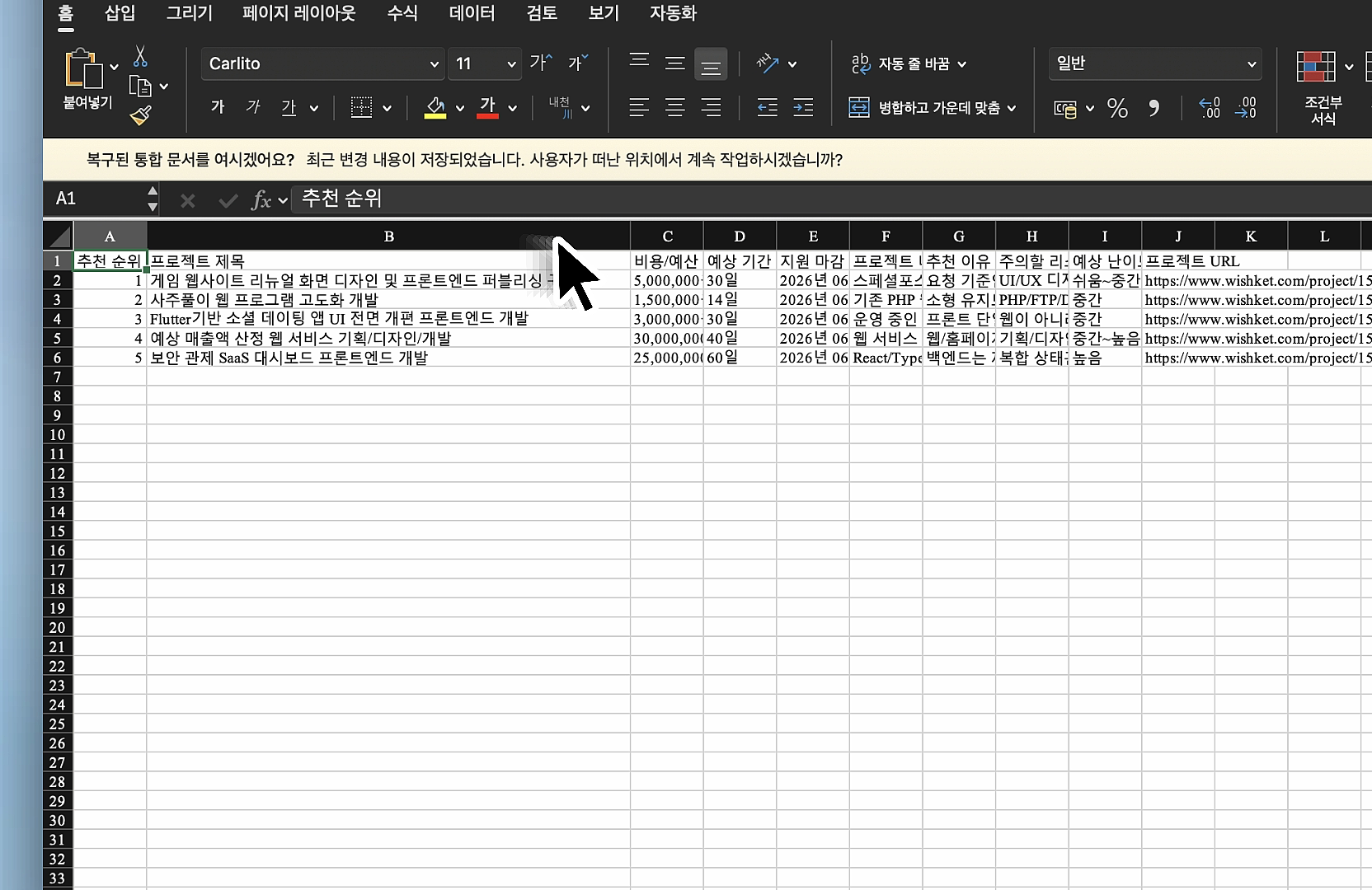
SETUP FLOW 05
for: Research outsourcing outreach targets
Outsourcing platform
project browsing screen
Filter by budget, timeline, and risk
@Browser
@Spreadsheet
Browse and organize only
Top recommended candidates
Full one-shot prompt is not provided separately
USE CASE 06
Draft contracts and issue tax invoices
From document drafting to execution
- Gmail Plugin (Codex)
- Bolta CLI
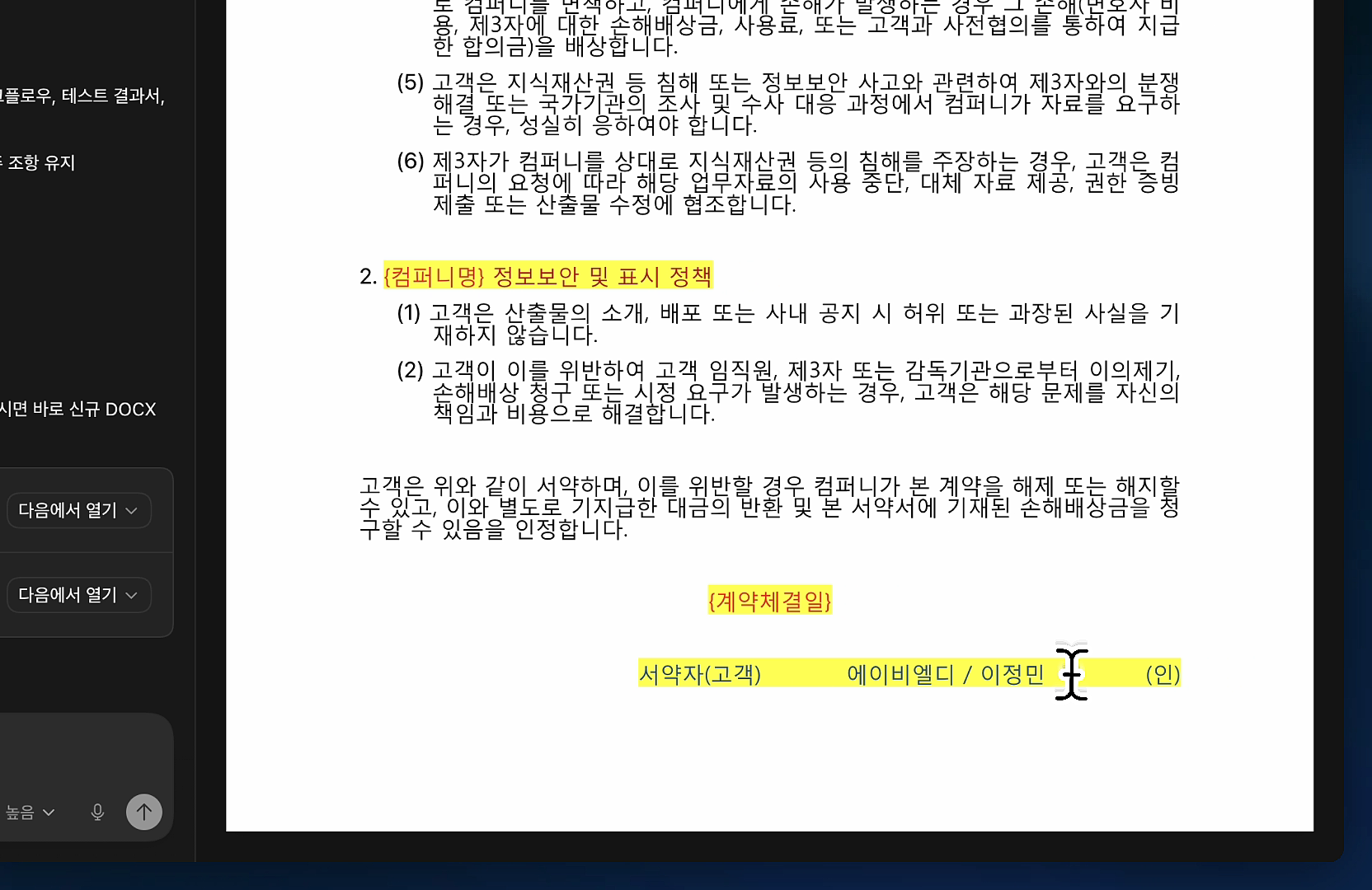
SETUP FLOW 06
for: Draft contracts and issue tax invoices
Gmail name
Existing contract template and
new contract terms direction
Parties, scope, fee, acceptance terms
@Google Drive
@Documents
Create a new DOCX only
Draft contract file
Full one-shot prompt is not provided separately
USE CASE 07
Build a card spending dashboard
Manage spending visually
- Google Drive Plugin (Codex)
- Site (Codex)
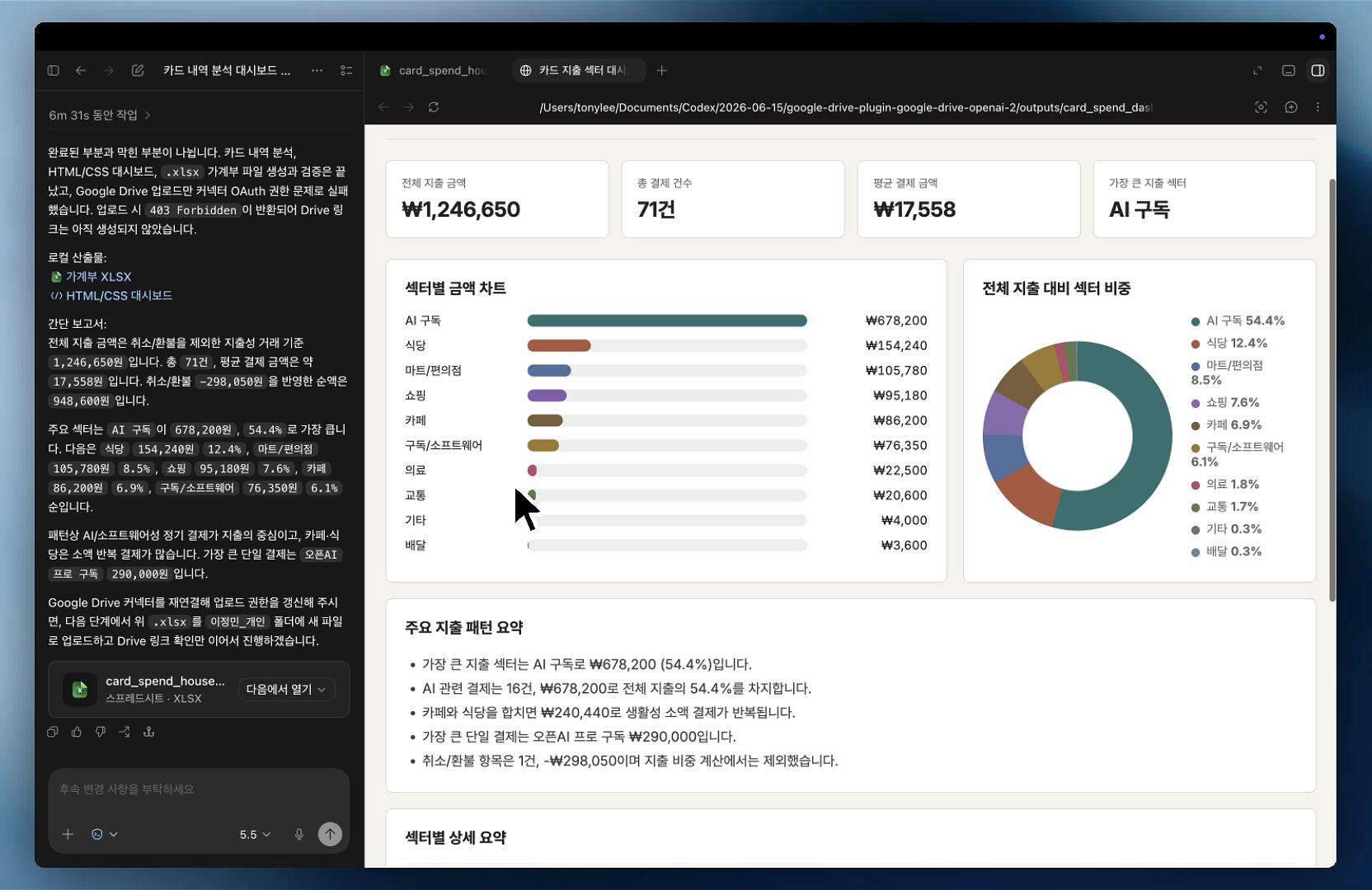
SETUP FLOW 07
for: Build a card spending dashboard
Drive file plus
dashboard update instructions
Classify sectors and summarize metrics
@Spreadsheets
@Browser
No card or approval numbers
Spending report and summary data
Full one-shot prompt is not provided separately
SUMMARY
Codex is a new work environment for everyone
It lets anyone run repeat work to completion, without making the workflow complicated.
Put notes, files, and links
in one thread, then state
the output and standards
Connect Browser,
Computer Use, and Plugins
to search, organize, and create
Review interim results,
ask for changes, and focus
on judgment and review rules
Save repeat work as Skills,
then delegate part of it
to Automations
Don't do the work alone.
Let Codex handle the work.

Generated by GPT-Image-2